Iptv For Fire Stick
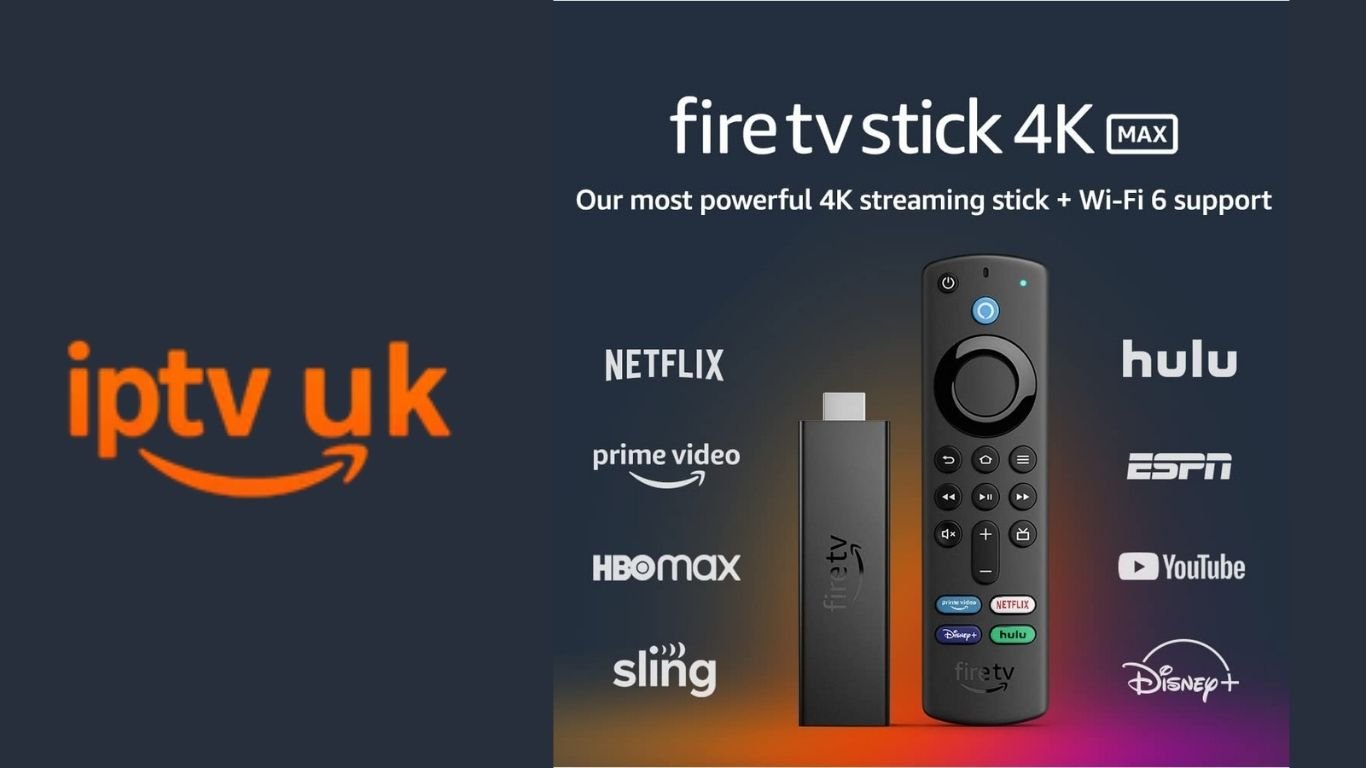
Modern television has changed considerably as more households use internet-connected devices to watch their favourite programmes. From live television and news to films, documentaries, and on-demand entertainment, streaming technology gives viewers more flexibility in how they enjoy digital content. One phrase that frequently appears in online searches is IPTV Fire Stick Fully Loaded.
For UK viewers, understanding this phrase is important before purchasing a streaming device or subscription. Some people use it to describe a Fire TV Stick that has been configured with streaming applications, while others use it when searching for internet television packages that combine multiple entertainment options. However, a device advertised as fully loaded is not necessarily an official Amazon product category, and its preinstalled applications may not all be authorised.
At IPTVUK.lat, we aim to help readers understand internet television, explore streaming technology, and make informed decisions about their home entertainment setup. This guide explains what a fully loaded Fire Stick means, how IPTV works, which features matter when choosing a streaming service, and how to enjoy digital television more safely.
What Does IPTV Fire Stick Fully Loaded Mean?
The expression IPTV Fire Stick Fully Loaded generally describes an Amazon Fire TV Stick that has been configured with additional applications or streaming services before it reaches the customer.
A standard Fire TV Stick connects to a television through an HDMI port and uses an internet connection to access compatible applications. Depending on the device model, users can install supported apps, sign in to their accounts, and stream content from authorised providers.
The term fully loaded is different. It is commonly used in online advertisements for devices that arrive with extra software, streaming playlists, account details, or other preconfigured features.
These additions can vary significantly between sellers. Some may be legitimate applications, while others may provide access to copyrighted television channels, films, or sports without the necessary permission.
Consumers should therefore investigate what is actually included before buying a preconfigured device. A large number of installed applications does not automatically mean the device offers better quality, greater reliability, or legitimate access to content.
The safest approach is to understand the device itself, check the applications it supports, and obtain subscriptions directly from authorised providers.
What Is IPTV and How Does It Work?
IPTV UK stands for Internet Protocol Television. It describes a method of delivering television content through internet-based networks rather than relying exclusively on conventional terrestrial, satellite, or cable broadcasting.
The technology can support different types of viewing experiences, depending on the service and its distribution rights.
Live Television
Live television allows viewers to watch programmes as they are transmitted. This can include news, entertainment, documentaries, and sports where the relevant broadcaster or distributor has authorised the service.
Video on Demand
Video on demand allows customers to choose a film, series, or programme from a catalogue and watch it when convenient. Instead of following a fixed schedule, viewers can select available titles through a compatible application.
Catch-Up Television
Catch-up services provide access to selected programmes after their original broadcast. They can be useful for viewers who miss a scheduled episode because of work, travel, or other commitments.
Internet-Based Delivery
The provider sends video data over a network to the viewer’s device. The streaming application processes that data and displays the content on the television screen.
A reliable internet connection, suitable device hardware, compatible software, and a legitimate content source all contribute to the overall experience.
It is important to remember that IPTV describes a delivery technology rather than a guarantee of particular channels or programmes. The legality of a service depends on the content it distributes and whether it has the necessary rights.
Why Do People Use a Fire TV Stick for Streaming?
A Fire TV Stick can make a compatible television more useful by providing access to internet-based entertainment through a compact device.
Simple Television Connectivity
The device connects to an available HDMI port and uses a compatible power supply. After the initial setup, viewers can navigate supported applications with the supplied remote control.
This arrangement can be useful for televisions that do not have the applications required by a household.
Access to Multiple Applications
Depending on the device model and operating system, users may access supported streaming applications for films, television, music, news, and other digital content.
Availability varies by region, device generation, and software platform. Customers should confirm that the applications they want are supported before purchasing a particular model.
Convenient Remote Control
A remote control makes it easy to move between applications, search for programmes, adjust settings, and control playback.
Some models include voice search and additional controls, although features vary across the product range.
Compact Design
A streaming stick takes up little space and can be useful in a bedroom, living room, or other area with a compatible television and internet connection.
The device still requires appropriate connectivity and access to the relevant streaming services.
Is a Fully Loaded Fire Stick Legal in the UK?
This is one of the most important questions to consider before purchasing a preconfigured streaming device.
The Fire TV Stick itself is a legitimate consumer electronics product. Using it with authorised applications, licensed subscriptions, and legitimate free-to-air streaming services is a normal use of the device.
Problems arise when a device has been adapted to provide unauthorised access to copyrighted content.
For example, a seller may advertise access to premium subscription channels, films, and live sports through a private package without being able to demonstrate the required distribution rights. Such offers deserve scrutiny.
The UK Intellectual Property Office explains that streaming devices can become illicit when adapted to provide unauthorised access to protected television programmes, films, or subscription sports.
Official guidance is available here:
Consumers should not assume that a device is legitimate simply because it works, has a professional-looking interface, or includes a large channel list.
Before paying, check the provider’s identity, content licensing, subscription conditions, and support arrangements. When a seller cannot explain how the advertised content is authorised, consider choosing a recognised streaming provider instead.
How to Choose a Reliable IPTV Service for Fire TV
Choosing a suitable IPTV service requires more than comparing prices or counting the number of advertised channels.
The following factors can help UK viewers evaluate available options.
1. Verify the Provider
Look for a clearly identified business, genuine contact information, and understandable service terms.
Be cautious when a seller operates only through anonymous messaging accounts or refuses to provide meaningful information about the company supplying the service.
2. Check Content Rights
A legitimate provider should have the necessary permission to distribute the programmes and channels it offers.
If a package promises access to every premium channel and major sporting event at an unusually low price, ask how those rights are obtained.
3. Confirm Device Compatibility
Check whether the service supports your exact Fire TV model and operating system.
Not every streaming application is available on every Fire TV device. Some newer models also have different software capabilities from older generations.
4. Compare the Total Cost
Consider the complete subscription price, renewal terms, and any additional charges.
A low introductory price does not necessarily represent the best long-term value. A reliable comparison should account for the content included, the service’s legitimacy, and the quality of customer support.
5. Review Customer Support
Look for accessible help pages, installation information, troubleshooting instructions, and a clear contact method.
Good support is particularly valuable when a device cannot connect to a service, or an application experiences technical problems.
6. Understand Cancellation Terms
Before making a payment, review the subscription duration, automatic renewal arrangements, cancellation process, and refund conditions.
Avoid committing to a lengthy subscription until you understand exactly what is included.
Fire TV Stick Compatibility and Software Differences
One detail worth checking before buying a streaming device is its operating system.
Fire TV products have not all used identical software. Older Fire TV Stick models use Fire OS, while certain newer models have moved to Amazon’s Vega OS platform.
This distinction matters because applications available on one system may not be supported on another.
Amazon has also introduced measures intended to restrict applications identified as providing access to unlicensed content. Consequently, buyers should not assume that an application will work on every Fire TV Stick simply because it works on a different model.
Before purchasing a device for IPTV or other streaming purposes:
- Check the exact model and operating system.
- Review application availability in the official app store.
- Confirm that the required service supports the device.
- Install applications through trusted sources.
- Avoid sellers who promise that every third-party application will work on every model.
For current information, consult Amazon’s official device documentation and application listings.
Internet Speed and Streaming Performance
The quality of an internet television experience depends partly on the home network. Even a suitable streaming device may struggle when the connection is unstable, or several devices compete for bandwidth.
Standard Definition
Standard-definition video generally requires less bandwidth than higher-resolution streams. It may be appropriate for smaller displays or connections with limited capacity.
High Definition
High-definition streaming provides more detail and is a popular choice for everyday viewing. A stable connection can help prevent interruptions and sudden reductions in picture quality.
4K Streaming
Ultra-high-definition content can offer a sharper picture on compatible televisions. However, 4K playback requires a suitable source, supported hardware, and sufficient network capacity.
The actual bandwidth requirement varies by platform, compression method, and video bitrate, so viewers should consult the recommendations of their chosen service.
Tips for Better Performance
If streaming becomes slow or unreliable, try these steps:
- Restart your router and streaming device.
- Check that the internet connection is working correctly.
- Use Ethernet where practical and supported.
- Move the router to a more central location if Wi-Fi coverage is weak.
- Pause large downloads while watching high-resolution content.
- Keep the device software and authorised streaming apps updated.
- Test another legitimate streaming application to see whether the issue affects the entire connection.
These checks can help identify whether a problem comes from the home network, device, or streaming service.
How to Set Up a Fire TV Stick Safely
Setting up a streaming stick does not have to be complicated. Following the manufacturer’s instructions can help make the process straightforward.
Step 1: Connect the Device
Insert the streaming stick into a compatible HDMI port on the television. Connect the supplied power equipment according to the manufacturer’s instructions.
Step 2: Select the Correct HDMI Input
Use the television remote to select the HDMI input connected to the device.
Step 3: Connect to the Internet
Follow the on-screen instructions to connect to your home Wi-Fi network or another supported network.
Step 4: Sign In to Your Account
Complete the official account setup process. Use a strong password and avoid entering account details into applications you cannot verify.
Step 5: Install Trusted Applications
Browse the official application store and install the streaming services you want to use. Check their publishers and subscription terms before signing in or making payments.
Step 6: Review Picture and Sound Settings
Adjust display and sound settings to match the television and your preferences. Available settings depend on the device model.
Step 7: Test Your Streaming Services
Open each application and confirm that it works correctly. If a paid service is involved, verify that the subscription is active and that the desired content is included.
Following the supported setup process helps reduce unnecessary software and security complications.
Security Risks Associated With Preconfigured Streaming Devices
A preconfigured device may contain software that the customer did not select or install personally.
This can create uncertainty about the source of the application, the permissions it requests, and the information it may collect.
Potential warning signs include unfamiliar applications, requests for unnecessary personal details, unexplained subscription charges, and instructions to turn off important security protections.
To reduce these risks:
- Buy hardware from a reputable retailer.
- Install software from trusted sources.
- Keep the device updated.
- Avoid entering payment details into unknown applications.
- Use unique passwords for online accounts.
- Review your account’s security settings.
- Remove applications you do not recognise or trust.
If you have already purchased a suspicious preconfigured device, avoid using unknown applications until you have checked them. Consider removing unfamiliar software and restoring the device to its factory settings if appropriate. Change any passwords entered into untrusted applications and review your payment accounts for unexpected activity.
A legitimate streaming device should not require customers to compromise their personal security to watch television.
Legal Streaming Applications for UK Viewers
UK households have several types of legitimate internet television options.
Depending on the device, location, and current application availability, viewers can explore official services such as BBC iPlayer, ITVX, Channel 4, My5, and established subscription streaming platforms.
Each service has its own content catalogue, registration requirements, and viewing conditions.
Some services offer selected programmes without an additional subscription, while others require payment or have different tiers. Certain live broadcasts and on-demand programmes may also be subject to regional restrictions or specific licensing arrangements.
Check the official application listing and the service’s own website to confirm current availability and terms.
Using authorised applications gives viewers a clearer understanding of who supplies the content, how subscriptions are managed, and where to seek support.
IPTV Fire Stick Fully Loaded: Common Problems and Solutions
Even a properly configured streaming device may occasionally experience technical difficulties.
The Device Is Running Slowly
Limited available storage, background processes, or outdated software can affect performance.
Restart the device, check for official updates, and remove unused applications when appropriate.
An Application Will Not Install
The application may not be available for your device model, region, or operating system.
Check the official store listing and the provider’s compatibility documentation instead of relying on installation instructions intended for another device.
Streaming Keeps Buffering
Buffering can result from weak Wi-Fi, congestion, or service-side problems.
Test the internet connection, restart the router, and compare playback with another authorised streaming application.
The Picture Looks Blurry
The source may be available only in a lower resolution, or the connection may not support the desired quality consistently.
Check the content’s available resolution and the device’s display settings.
An Application Has Disappeared
Applications can become unavailable when a publisher withdraws them, a store changes its listings, or a device no longer supports them.
Check the official store and contact the application provider for current information.
A Subscription Is Not Working
Confirm that the account is active and that the service supports the device. Contact the verified provider if the issue continues.
Do not share account passwords or payment details with unknown individuals offering unofficial troubleshooting.
Is a Fully Loaded Fire Stick Worth Buying?
The value of a preconfigured device depends on what it includes, whether the applications are legitimate, and how well the arrangement suits your needs.
A standard streaming device combined with official applications can provide a straightforward entertainment setup. It also allows the customer to choose which services to install and which subscriptions to purchase.
A preconfigured device may appear convenient, but convenience alone is not enough to establish that it is a good purchase.
Before buying one, ask the seller to explain the included software, content rights, device compatibility, warranty, and support arrangements. Check whether any advertised subscriptions are provided by authorised distributors.
Be particularly cautious when an offer promises unrestricted access to premium films, television channels, and sports without the normal subscription arrangements.
For many households, purchasing a supported device and configuring it independently through trusted applications is a clearer and more transparent option.
Frequently Asked Questions About IPTV Fire Stick Fully Loaded
What does fully loaded mean on a Fire Stick?
It usually refers to a device that has been preconfigured with additional applications, playlists, or account details. The term is not an official Amazon product category, and the included software should be checked carefully.
Is IPTV legal in the UK?
IPTV is a technology for delivering television over internet networks. Its use is not automatically illegal. The important consideration is whether the service has the rights to distribute the content it provides.
Can I use IPTV on a Fire TV Stick?
Many authorised internet television applications support compatible Fire TV devices. Availability depends on the model, operating system, region, and application.
Do all Fire TV Sticks support the same apps?
No. Supported applications can differ between device models, software platforms, and regional app stores. Always verify compatibility before purchasing a device or subscription.
Do I need a fast internet connection?
You need enough stable bandwidth for the video quality you want to watch. Higher-resolution streaming generally requires more network capacity than standard-definition content.
Can a fully loaded Fire Stick contain unsafe applications?
Yes. Preconfigured devices may include unfamiliar software that raises privacy or security concerns. Install trusted applications and avoid entering sensitive details into software you cannot verify.
Is a fully loaded Fire Stick an official Amazon product?
No. Fully loaded is a marketing description commonly used by third-party sellers. It is not an official Amazon device category.
Can I watch free television on a Fire TV Stick?
Depending on the device and region, viewers can access legitimate free streaming applications and broadcaster services. Content availability and registration requirements vary.
Should I buy a yearly IPTV subscription with a Fire Stick?
First, verify that the IPTV provider in the UK is authorised, the application supports your device, and the subscription terms are clear. Testing the service through a legitimate trial or shorter plan, when available, may reduce the risk of an unsuitable purchase.
What should I do if my Fire Stick has unfamiliar applications?
Avoid opening applications you do not trust. Review the installed software, remove suspicious applications, and consider a factory reset if necessary. Change passwords that may have been exposed and check your payment accounts for unexpected activity.
Conclusion: Make an Informed Choice About IPTV Fire Stick Fully Loaded
A Fire TV Stick can be a convenient way to bring internet entertainment to a compatible television. Combined with authorised streaming applications, it can provide access to live broadcasts, on-demand programmes, films, and other digital content, depending on the services selected.
However, the phrase IPTV Fire Stick Fully Loaded requires careful consideration because preconfigured devices can contain different applications and may offer content under very different licensing arrangements.
Before purchasing, verify the seller, check application compatibility, review subscription terms, and establish whether the advertised content is authorised. Pay attention to security, privacy, internet requirements, and customer support rather than focusing exclusively on the number of channels or the lowest advertised price.
At IPTVUK.lat, readers can continue exploring information about IPTV, internet television, streaming devices, and home entertainment technology.
Choose your streaming equipment carefully, use trusted applications, and compare services according to your actual viewing needs. A dependable entertainment setup should offer convenience, transparent terms, appropriate content, and confidence in the provider behind the service.
Simple, Transparent Pricing
Choose the plan that works best for you. All plans include our 30-Day Money-Back Guarantee.
Limited Time Flash Sale!
Prices will return to normal after the timer ends.
Monthly
Perfect for trying out our service
-
28,000+ Live TV Channels
-
Full HD & 4K Quality
-
7-Day Catch Up
-
VOD Library (Movies & Series)
-
Use on 1 Device
-
24/7 Support via WhatsApp
3 Months
Great value for short term
-
28,000+ Live TV Channels
-
Full HD & 4K Quality
-
7-Day Catch Up
-
VOD Library (Movies & Series)
-
Use on 2 Devices Simultaneously
-
24/7 Support via WhatsApp
-
Save over 20% vs Monthly
Annual
Best value for loyal customers
12 Months + 2 Months FREE
-
28,000+ Live TV Channels
-
Full HD & 4K Quality
-
7-Day Catch Up & Recording
-
Premium VOD Library (Updated Daily)
-
Use on 3 Devices Simultaneously
-
VIP 24/7 Support
-
Save over 60% vs Monthly
-
Free Setup Assistance
Quarterly
Popular choice for commitment
-
28,000+ Live TV Channels
-
Full HD & 4K Quality
-
7-Day Catch Up & Recording
-
Extensive VOD Library
-
Use on 2 Devices Simultaneously
-
Priority 24/7 Support
-
Early access to new features
Secure Payment Options
We accept various secure payment methods for your convenience.
Ready for a Longer Test Drive?
Experience the full power of iptvuk.lat IPTV with our exclusive 24-hour free trial. Access all 28,000+ channels, VOD, and premium features with no obligation. It's the perfect way to see why we're the UK's favourite IPTV provider!
Contact Us
Have questions or need assistance? We're here to help!
Get in Touch
Email Us
contact@iptvuk.lat
Available 24/7
Call Us
+447882742512
Available 24/7
Live Chat
Available on our website
Response time: Under 5 minutes
Our Hours
Customer Support: 24/7
Sales Department: Mon-Fri, 9am-6pm GMT
Technical Support: 24/7